Connect-AzureRm from Powershell HOW TO installing & import modules, authenticate (including multi-factor) and selecting the subscription Step-By-Step
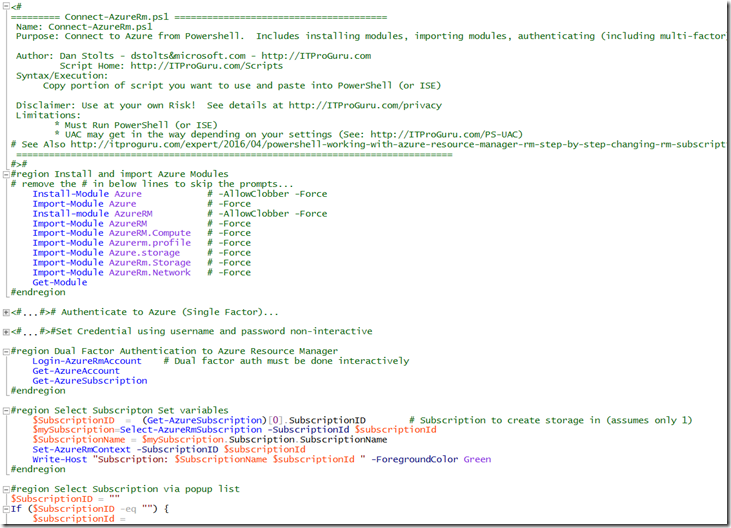
Name: Connect-AzureRm.ps1 Purpose: Connect to Azure from Powershell. Includes installing modules, importing modules, authenticating (including multi-factor) and selecting the subscription Author: Dan Stolts – dstoltsµsoft.com – http://ITProGuru.com Script Home: http://ITProGuru.com/Scripts Syntax/Execution: Copy portion of script you want to use and paste into PowerShell (or ISE) Disclaimer: Use at your own Risk! See details […]
Name: Connect-AzureRm.ps1 Purpose: Connect to Azure from Powershell. Includes installing modules, importing modules, authenticating (including multi-factor) and selecting the subscription
Author: Dan Stolts – dstoltsµsoft.com – http://ITProGuru.com Script Home: http://ITProGuru.com/Scripts Syntax/Execution: Copy portion of script you want to use and paste into PowerShell (or ISE)
Disclaimer: Use at your own Risk! See details at http://ITProGuru.com/privacy
[
](https://itproguru.com/wp-content/uploads/2017/02/image.png)
Source Code on Github https://github.com/dstolts/Resources/blob/master/Connect-AzureRm.ps1
See Source Code for all commands in sequence. The following just added for search improvement.
Key Commands covered:
Azure (Service Manager)
Install-Module Azure # -Force -AllowClobber
Import-Module Azure # -Force
AzureRM (Resource Manager)
Install-module AzureRM # -Force -AllowClobber
Import-Module AzureRM # -Force
Import-Module AzureRM.Compute # –Force
Add-AzureAccount –Credential $Cred
Login-AzureRmAccount –Credential $Cred
Login-AzureRmAccount # Dual factor auth must be done interactively
Get-AzureAccount
Get-AzureSubscription
#region Select Subscription Set variables
$SubscriptionID = (Get-AzureSubscription)[0].SubscriptionID # Subscription to create storage in (assumes only 1)
$mySubscription=Select-AzureRmSubscription -SubscriptionId $subscriptionId
$SubscriptionName = $mySubscription.Subscription.SubscriptionName
Set-AzureRmContext -SubscriptionID $subscriptionId
Write-Host “Subscription: $SubscriptionName $subscriptionId ” -ForegroundColor Green