Check Version of Assembly or DLL on Your System
Direct answer
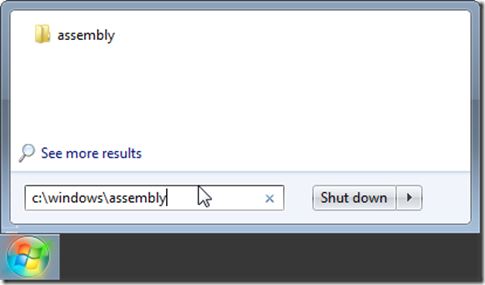
To look at what is on the machine click Start– and type in the path to the assembly folder which is C:windowsassembly and press ENTER.
To look at what is on the machine click Start– and type in the path to the assembly folder which is C:windowsassembly and press ENTER.
[
](/wp-content/uploads/2012/06/win_assembly.png)
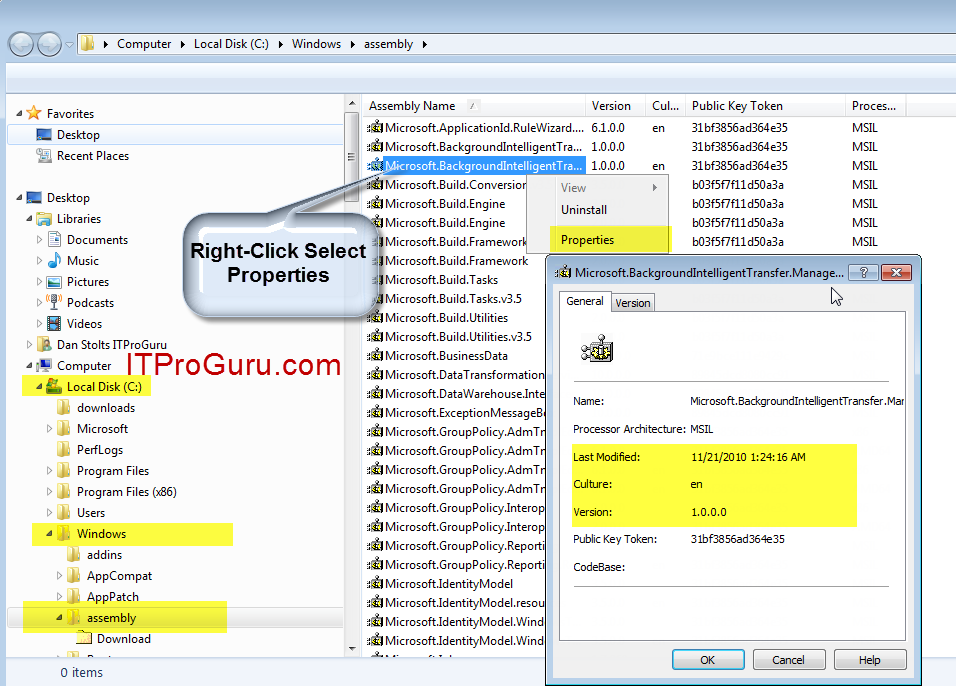
This will bring up a folder that shows a list of installed components. Simply Right-Click on the one you want to check and select properties.
[
](/wp-content/uploads/2012/06/DLL_Assembly_Properties.png)