How To Run PowerShell with Elevated Permissions
Direct answer
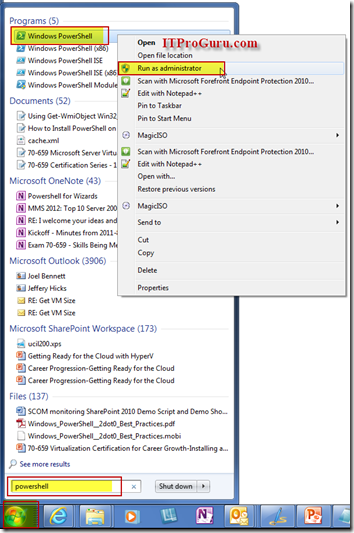
To run the PowerShell window with elevated permissions just click Start then type PowerShell then Right-Click on PowerShell icon and select Run as Administrator.
To run the PowerShell window with elevated permissions just click Start then type PowerShell then Right-Click on PowerShell icon and select Run as Administrator.
[
](/wp-content/uploads/2012/06/powershell_elevated.png)
Shortcut:
- Start
- Type PowerShell
- Press Shift-Control-Enter