How to Run Any Program Including PowerShell with Elevated Privileges (aka Administrator Permissions)
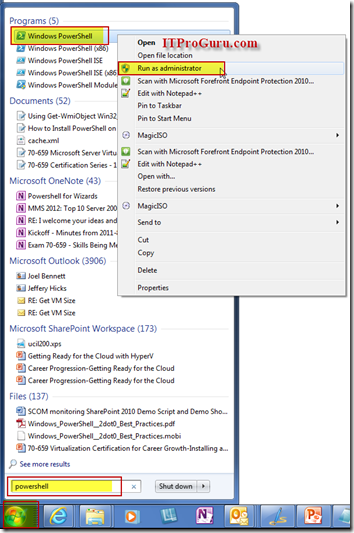
To run any application with elevated privileges (as Administrator) simply right-click on that program from the menu and select Run as Administrator. An example of this would be if you wanted to run a PowerShell window with elevated permissions just click Start then type PowerShell then Right-Click on PowerShell icon and select Run as Administrator. […]
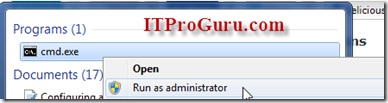
To run any application with elevated privileges (as Administrator) simply right-click on that program from the menu and select Run as Administrator. An example of this would be if you wanted to run a PowerShell window with elevated permissions just click Start then type PowerShell then Right-Click on PowerShell icon and select Run as Administrator. This is also known as Administrative Permissions. If you just want an administrative command prompt, you would type in cmd instead of PowerShell. This tip will work on just about any other program too

[
](/wp-content/uploads/2012/06/powershell_elevated.png)
[
](/wp-content/uploads/2012/06/RunAs_Administrator.png)
Shortcut to Run A Program as an Administrator:
- Start
- Type PowerShell
- Press Shift-Control-Enter